EnglishEnglish
  • DeutschDeutsch
  • FrançaisFrançais
  • NederlandsNederlands
  • 中文 (中国)中文 (中国)
  • GMT +2
  • The Official Guide to Cape Town
  • Places to Go
    Cape Town's Top Attractions

    Top Attractions

    Explore Cape Town's Areas

    Explore Areas

    Recommended Neighbourhoods

    Recommended Neighbourhoods

    Things to Do & See in Cape Town

    Explore Things to Do

  • Areas to Stay
    Atlantic Seaboard

    Atlantic Seaboard

    Central City

    Central City

    Blaauwberg

    Blaauwberg

    Cape Flats

    Cape Flats

    Northern Suburbs

    Northern Suburbs

    Southern Suburbs

    Southern Suburbs

    Cape Peninsula

    Cape Peninsula

    Helderberg

    Helderberg

  • Things to Do
    Arts & Culture Experiences in Cape Town

    Arts & Culture

    Beach & Ocean Experiences in Cape Town

    Beach & Ocean

    Eating & Drinking Experiences in Cape Town

    Eat & Drink

    Health & Wellness Experiences in Cape Town

    Health & Wellness

    Nature Experiences in Cape Town

    Nature

    Nightlife Experiences in Cape Town

    Nightlife

    Shopping Experiences in Cape Town

    Shopping

    Events in Cape Town

    Events

  • Plan Your Trip

    Book with Skyscanner

    Book with TravelStart

    Getting Around Cape Town

    Getting Around Cape Town

    Cape Town Maps & Guides

    Maps & Guides

    Itineraries & Tours

    Itineraries & Tours

    Visa Information

    Visa Information

    Weather in Cape Town

    Weather in Cape Town

    Forex

    Forex

  • TravelWise

    Safety in Cape Town

    Health & Medical

    Namola Safety App

    Download Safety Guide

    Emergency Contacts

    Emergency Contacts

    Loadshedding

    Loadshedding

    Responsible Tourism

    Responsible Tourism

    Sustainable-qc01mox23g6tvtk5anpvsx2ybc4dvubkhwdl9stms4

    Sustainable Cape Town

    Accessible Cape Town

    Accessible Cape Town

logo-love-ct-blue.svg
Become a Member
Member Directory
8 events found.

Events

Events Search and Views Navigation

Event Views Navigation

Today
  • June 2026

  • Thu 4
    What's On in Cape Town in June 2025 - Events

    Jive Cape Town Funny Festival 2026

    June 1 @ 8:00 pm - June 21 @ 8:00 pm
    The Baxter Theatre Main Rd, Rondebosch,, Cape Town, Western Cape, South Africa

    The Jive Cape Town Funny Festival has been the Mother City’s ultimate cure for chilly winter evenings for more than two decades. Since its debut ...

    R250
  • Thu 4

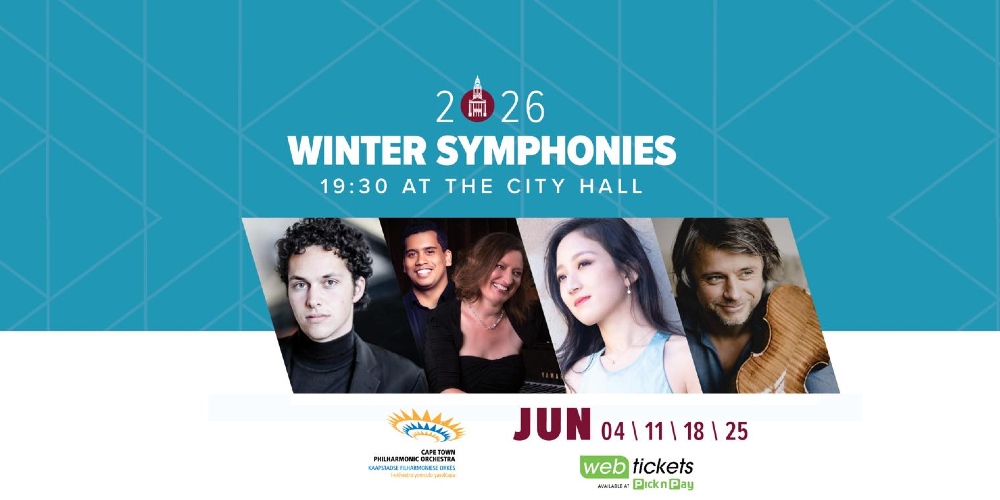
    Winter Symphonies at the City Hall

    June 4 @ 7:30 pm - June 25 @ 7:30 pm
    Cape Town City Hall Cape Town City Hall, 46 Darling Street, Cape Town, South Africa

    Cape Town’s Winter Symphonies series returns to the historic City Hall for four Thursday evenings in June, bringing orchestral music to one of the city’s ...
    R190
  • Thu 4

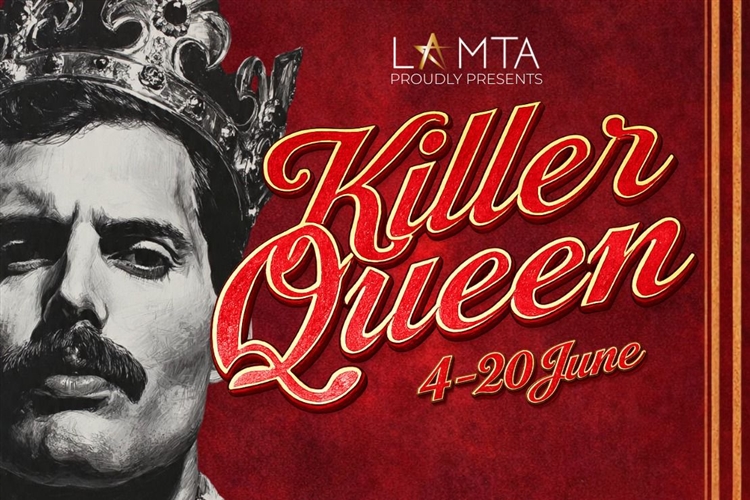
    Killer Queen – LAMTA Dance Production

    June 4 @ 8:00 pm - June 20 @ 8:00 pm
    Theatre on the Bay Link Street, Camps Bay, Cape Town, Western Cape, South Africa

    Killer Queen, brought to you by the Luitingh Alexander Musical Theatre Academy, is a high-energy dance celebration of the legendary rock band Queen. Inspired by ...

    R200
  • Sat 6
    Hermanus FynArts Festival

    Hermanus FynArts Festival

    June 6 @ 8:00 am - June 14 @ 5:00 pm
    Hermanus

    Set against the Overberg coastline, the Hermanus FynArts Festival transforms the seaside town of Hermanus into one of South Africa’s most exciting winter arts destinations. ...
    Varies
  • Sat 6

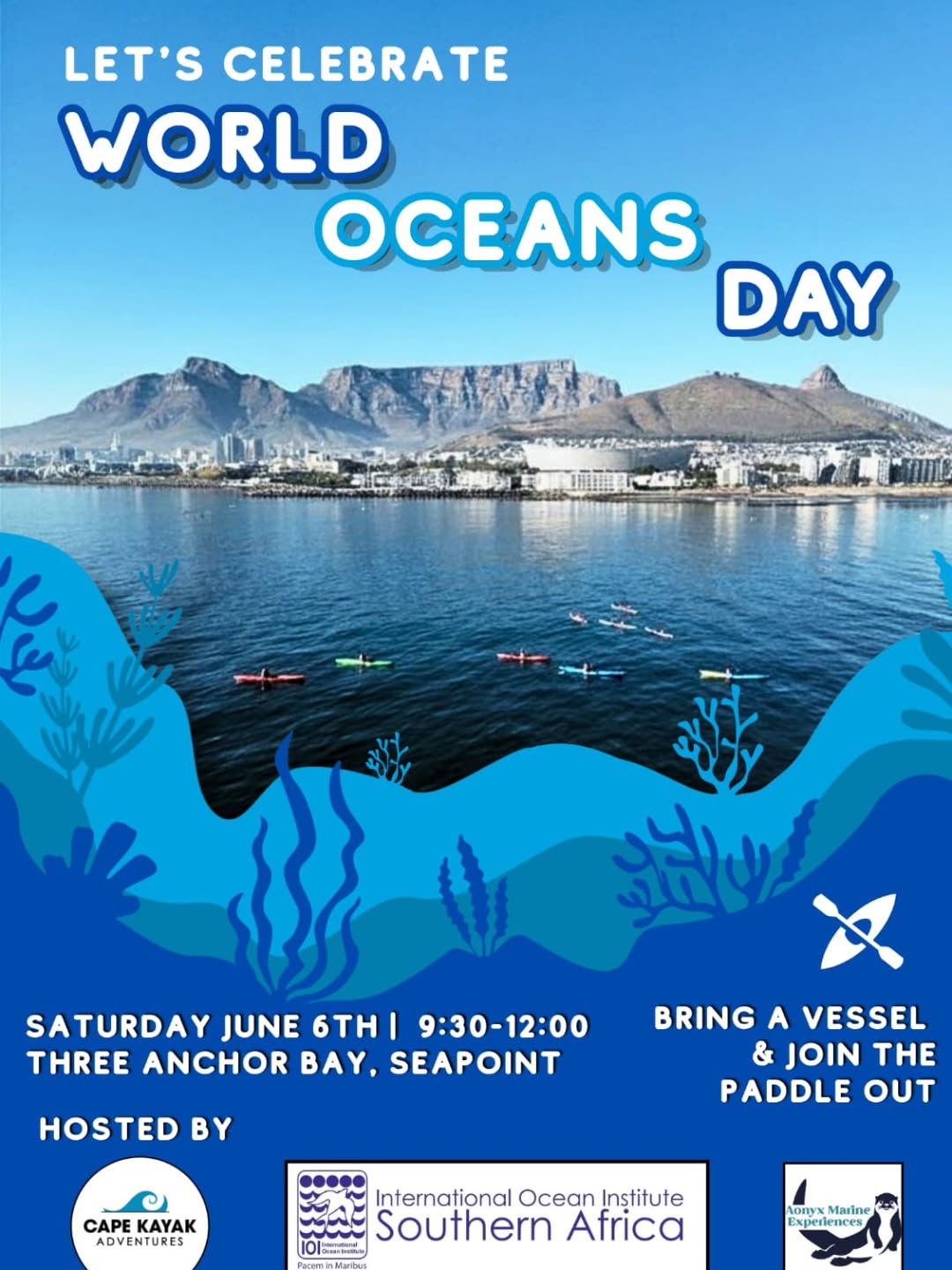
    Community Paddle Out

    June 6 @ 9:30 am - 12:00 pm
    Three Anchor Bay, Seapoint

    Mark World Oceans Day with a morning on the water. Bring your kayak, surfboard, SUP, canoe, or any other non-motorised craft and join this community ...

  • Sat 6

    Makin’ Magic – Family Magic Show

    June 6 @ 3:00 pm - June 7 @ 3:30 pm
    Artscape Theatre Artscape Theatre Centre, Cape Town, Western Cape, South Africa

    Step into Makin’ Magic where the impossible comes roaring to life. The College of Magic presents a high-energy family spectacular bursting with laughs, surprises and ...
    R165
  • Mon 8

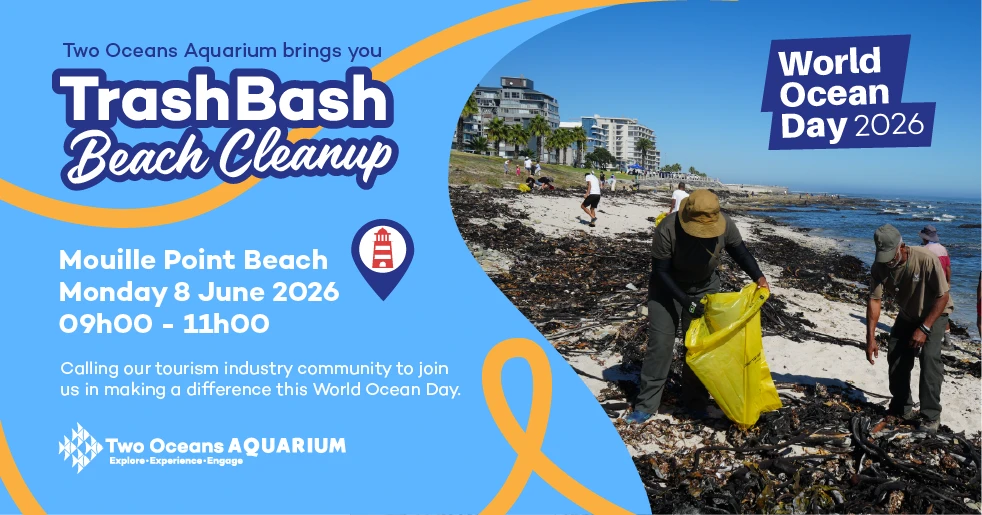
    Two Oceans Aquarium TrashBash Beach Clean Up

    June 8 @ 9:00 am - 11:00 am
    Mouille Point Beach

    It's World Ocean Day on Monday 8 June, and Two Oceans Aquarium will be celebrating with a special beach cleanup. What better way to honour our ...

  • Tue 9

    Chester’s Got Talent

    June 9 @ 8:00 pm - June 13 @ 8:00 pm
    Ground Culture Cafe Shop 5, 170 Lower Main Rd, Observatory, Cape Town, Western Cape, South Africa

    Internationally acclaimed South African ventriloquist Conrad Koch brings his chaotic cast of characters to the stage, where they battle it out to become the ultimate ...

    R180
  • Previous Events
  • Today
  • Google Calendar
  • iCalendar
  • Outlook 365
  • Outlook Live
  • Export .ics file
  • Export Outlook .ics file

Get the hot destinations right into your inbox

Subscribe now for hand-picked holiday deals, inspiration and latest travel tips, straight to your inbox

"*" indicates required fields

Partners

Aquila Safari
Groot Constantia
GrandWest
MSC Cruises
Southern Sun
Table Mountain
V&A Waterfront
Robben Island
thumbnail_image

Corporate

  • Home
  • Content Library
  • Trade
  • Media
  • Corporate Training
  • Become a Supplier

Useful Links

  • Events
  • Contact
  • Careers
  • Research
  • Annual Report 22/23
  • Terms & Conditions

Plan Your Trip

  • Getting Around Cape Town
  • Maps & Guides
  • Itineraries and Tours
  • Visa Information
  • Weather in Cape Town
  • Forex

TravelWise

  • Safety in Cape Town
  • Health & Medical
  • Namola Safety App
  • Covid 19 Information
  • Emergency Contacts
  • Loadshedding
  • Responsible Tourism

Membership

  • Become a Member
  • Add Your Listing
  • Manage Your Membership
  • Members Code of Conduct
  • Members Terms & Conditions

Cape Town Tourism is an award-winning, internationally recognised Destination Marketing Organisation, showcasing the Mother City on a global stage.

City of Cape Town
Responsible Tourism
© 2026 Cape Town Travel All Rights Reserved
Contact
Terms & Conditions
Privacy Policy
DSAR / Data Request

Sign in

  • Sign in
  • Create account

Lost your password?

  • Customer
  • Business
Your account has been created. Please check your email for more details.

Please enter your email address. You will receive a link to create a new password via email.

Please check your email for more details.
Sign in

Send Message

My favorites

Discover the Magic of Cape Town!

Subscribe to our emailer and unlock the hidden gems of this breathtaking holiday destination. Immerse yourself in the vibrant culture, pristine beaches, and iconic landmarks that Cape Town has to offer. 

Don’t miss out on the adventure of a lifetime – join our mailing list now and let the journey begin!

Popup newsletter form

"*" indicates required fields

Accessibility
Accessibility modes
Epilepsy Safe Mode
Dampens color and removes blinks
This mode enables people with epilepsy to use the website safely by eliminating the risk of seizures that result from flashing or blinking animations and risky color combinations.
Visually Impaired Mode
Improves website's visuals
This mode adjusts the website for the convenience of users with visual impairments such as Degrading Eyesight, Tunnel Vision, Cataract, Glaucoma, and others.
Cognitive Disability Mode
Helps to focus on specific content
This mode provides different assistive options to help users with cognitive impairments such as Dyslexia, Autism, CVA, and others, to focus on the essential elements of the website more easily.
ADHD Friendly Mode
Reduces distractions and improve focus
This mode helps users with ADHD and Neurodevelopmental disorders to read, browse, and focus on the main website elements more easily while significantly reducing distractions.
Blindness Mode
Allows using the site with your screen-reader
This mode configures the website to be compatible with screen-readers such as JAWS, NVDA, VoiceOver, and TalkBack. A screen-reader is software for blind users that is installed on a computer and smartphone, and websites must be compatible with it.
Online Dictionary
    Readable Experience
    Content Scaling
    Default
    Text Magnifier
    Readable Font
    Dyslexia Friendly
    Highlight Titles
    Highlight Links
    Font Sizing
    Default
    Line Height
    Default
    Letter Spacing
    Default
    Left Aligned
    Center Aligned
    Right Aligned
    Visually Pleasing Experience
    Dark Contrast
    Light Contrast
    Monochrome
    High Contrast
    High Saturation
    Low Saturation
    Adjust Text Colors
    Adjust Title Colors
    Adjust Background Colors
    Easy Orientation
    Mute Sounds
    Hide Images
    Hide Emoji
    Reading Guide
    Stop Animations
    Reading Mask
    Highlight Hover
    Highlight Focus
    Big Dark Cursor
    Big Light Cursor
    Cognitive Reading
    Virtual Keyboard
    Navigation Keys
    Voice Navigation

    Cape Town Tourism

    Accessibility Statement

    • www.capetown.travel
    • 4 June 2026

    Compliance status

    We firmly believe that the internet should be available and accessible to anyone, and are committed to providing a website that is accessible to the widest possible audience, regardless of circumstance and ability.

    To fulfill this, we aim to adhere as strictly as possible to the World Wide Web Consortium’s (W3C) Web Content Accessibility Guidelines 2.1 (WCAG 2.1) at the AA level. These guidelines explain how to make web content accessible to people with a wide array of disabilities. Complying with those guidelines helps us ensure that the website is accessible to all people: blind people, people with motor impairments, visual impairment, cognitive disabilities, and more.

    This website utilizes various technologies that are meant to make it as accessible as possible at all times. We utilize an accessibility interface that allows persons with specific disabilities to adjust the website’s UI (user interface) and design it to their personal needs.

    Additionally, the website utilizes an AI-based application that runs in the background and optimizes its accessibility level constantly. This application remediates the website’s HTML, adapts Its functionality and behavior for screen-readers used by the blind users, and for keyboard functions used by individuals with motor impairments.

    If you’ve found a malfunction or have ideas for improvement, we’ll be happy to hear from you. You can reach out to the website’s operators by using the following email

    Screen-reader and keyboard navigation

    Our website implements the ARIA attributes (Accessible Rich Internet Applications) technique, alongside various different behavioral changes, to ensure blind users visiting with screen-readers are able to read, comprehend, and enjoy the website’s functions. As soon as a user with a screen-reader enters your site, they immediately receive a prompt to enter the Screen-Reader Profile so they can browse and operate your site effectively. Here’s how our website covers some of the most important screen-reader requirements, alongside console screenshots of code examples:

    1. Screen-reader optimization: we run a background process that learns the website’s components from top to bottom, to ensure ongoing compliance even when updating the website. In this process, we provide screen-readers with meaningful data using the ARIA set of attributes. For example, we provide accurate form labels; descriptions for actionable icons (social media icons, search icons, cart icons, etc.); validation guidance for form inputs; element roles such as buttons, menus, modal dialogues (popups), and others. Additionally, the background process scans all the website’s images and provides an accurate and meaningful image-object-recognition-based description as an ALT (alternate text) tag for images that are not described. It will also extract texts that are embedded within the image, using an OCR (optical character recognition) technology. To turn on screen-reader adjustments at any time, users need only to press the Alt+1 keyboard combination. Screen-reader users also get automatic announcements to turn the Screen-reader mode on as soon as they enter the website.

      These adjustments are compatible with all popular screen readers, including JAWS and NVDA.

    2. Keyboard navigation optimization: The background process also adjusts the website’s HTML, and adds various behaviors using JavaScript code to make the website operable by the keyboard. This includes the ability to navigate the website using the Tab and Shift+Tab keys, operate dropdowns with the arrow keys, close them with Esc, trigger buttons and links using the Enter key, navigate between radio and checkbox elements using the arrow keys, and fill them in with the Spacebar or Enter key.Additionally, keyboard users will find quick-navigation and content-skip menus, available at any time by clicking Alt+1, or as the first elements of the site while navigating with the keyboard. The background process also handles triggered popups by moving the keyboard focus towards them as soon as they appear, and not allow the focus drift outside it.

      Users can also use shortcuts such as “M” (menus), “H” (headings), “F” (forms), “B” (buttons), and “G” (graphics) to jump to specific elements.

    Disability profiles supported in our website

    • Epilepsy Safe Mode: this profile enables people with epilepsy to use the website safely by eliminating the risk of seizures that result from flashing or blinking animations and risky color combinations.
    • Visually Impaired Mode: this mode adjusts the website for the convenience of users with visual impairments such as Degrading Eyesight, Tunnel Vision, Cataract, Glaucoma, and others.
    • Cognitive Disability Mode: this mode provides different assistive options to help users with cognitive impairments such as Dyslexia, Autism, CVA, and others, to focus on the essential elements of the website more easily.
    • ADHD Friendly Mode: this mode helps users with ADHD and Neurodevelopmental disorders to read, browse, and focus on the main website elements more easily while significantly reducing distractions.
    • Blindness Mode: this mode configures the website to be compatible with screen-readers such as JAWS, NVDA, VoiceOver, and TalkBack. A screen-reader is software for blind users that is installed on a computer and smartphone, and websites must be compatible with it.
    • Keyboard Navigation Profile (Motor-Impaired): this profile enables motor-impaired persons to operate the website using the keyboard Tab, Shift+Tab, and the Enter keys. Users can also use shortcuts such as “M” (menus), “H” (headings), “F” (forms), “B” (buttons), and “G” (graphics) to jump to specific elements.

    Additional UI, design, and readability adjustments

    1. Font adjustments – users, can increase and decrease its size, change its family (type), adjust the spacing, alignment, line height, and more.
    2. Color adjustments – users can select various color contrast profiles such as light, dark, inverted, and monochrome. Additionally, users can swap color schemes of titles, texts, and backgrounds, with over seven different coloring options.
    3. Animations – person with epilepsy can stop all running animations with the click of a button. Animations controlled by the interface include videos, GIFs, and CSS flashing transitions.
    4. Content highlighting – users can choose to emphasize important elements such as links and titles. They can also choose to highlight focused or hovered elements only.
    5. Audio muting – users with hearing devices may experience headaches or other issues due to automatic audio playing. This option lets users mute the entire website instantly.
    6. Cognitive disorders – we utilize a search engine that is linked to Wikipedia and Wiktionary, allowing people with cognitive disorders to decipher meanings of phrases, initials, slang, and others.
    7. Additional functions – we provide users the option to change cursor color and size, use a printing mode, enable a virtual keyboard, and many other functions.

    Browser and assistive technology compatibility

    We aim to support the widest array of browsers and assistive technologies as possible, so our users can choose the best fitting tools for them, with as few limitations as possible. Therefore, we have worked very hard to be able to support all major systems that comprise over 95% of the user market share including Google Chrome, Mozilla Firefox, Apple Safari, Opera and Microsoft Edge, JAWS and NVDA (screen readers).

    Notes, comments, and feedback

    Despite our very best efforts to allow anybody to adjust the website to their needs. There may still be pages or sections that are not fully accessible, are in the process of becoming accessible, or are lacking an adequate technological solution to make them accessible. Still, we are continually improving our accessibility, adding, updating and improving its options and features, and developing and adopting new technologies. All this is meant to reach the optimal level of accessibility, following technological advancements. For any assistance, please reach out to